
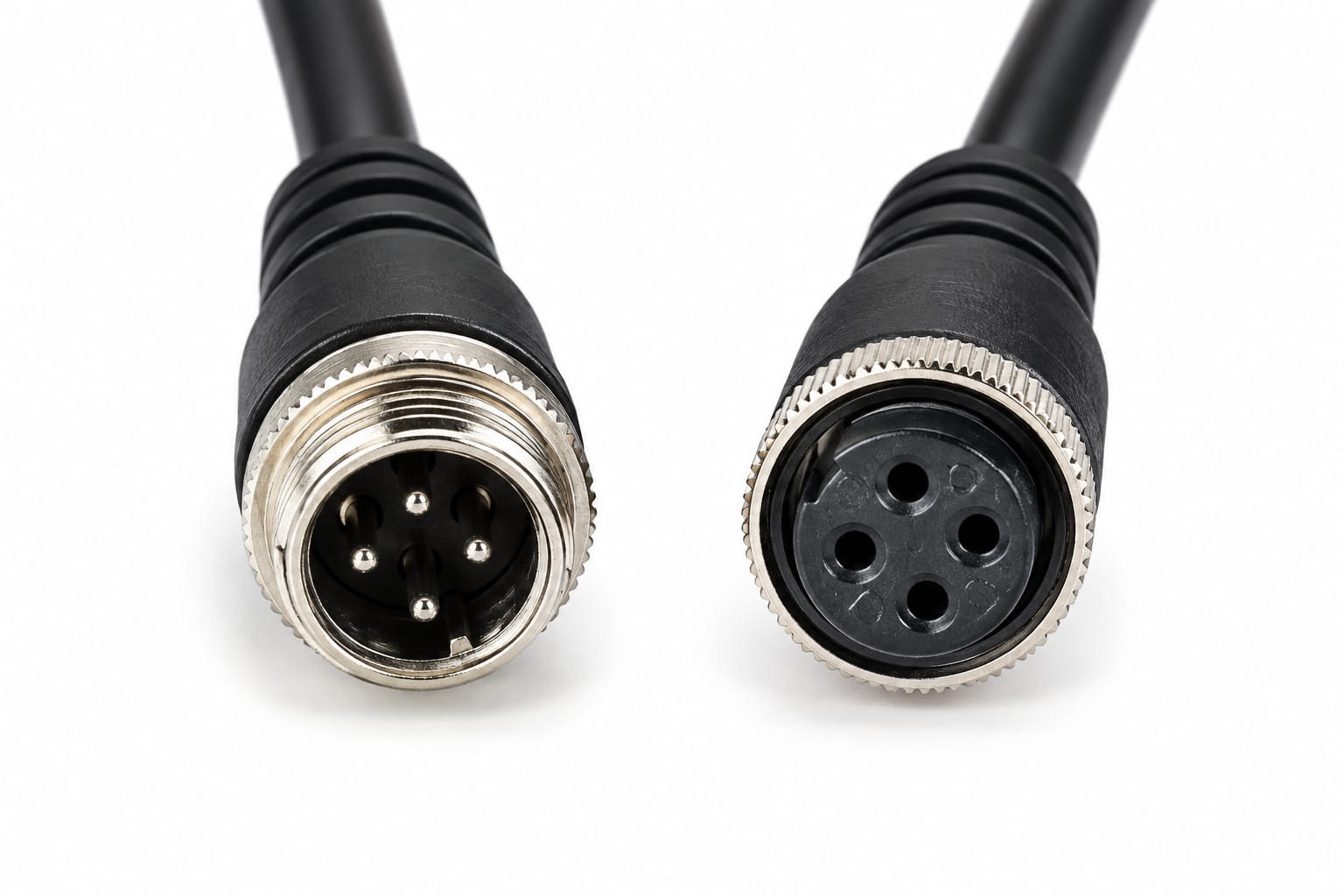
🚛 How do cameras connect to a Mobile DVR system in a bus or truck? The right Mobile DVR cable helps connect compatible vehicle cameras to recording equipment, supporting video monitoring in commercial vehicles and fleet applications.
Whether you're a fleet operator, vehicle camera installer, or security equipment distributor, understanding the different cable requirements can help you choose the right connection for your vehicle surveillance system.
🔍 What Is a Mobile DVR Cable?
A Mobile DVR cable is a cable used to connect compatible cameras and other equipment to a Mobile Digital Video Recorder (MDVR). Mobile DVRs are designed for vehicle environments and can record video from cameras installed inside or around a vehicle.
Depending on the system, connections may use 4-pin aviation cables or other specified connectors. The correct cable depends on the camera, MDVR model, pin configuration, and signal requirements.
🚚 Where Are Mobile DVR Cables Used?
🚌 1. Bus Surveillance Systems
Connect compatible cameras to an MDVR for recording views inside passenger areas or around the bus.
🚛 2. Truck Camera Systems
Support camera connections in commercial trucks and heavy vehicles used for transport and logistics.
📹 3. Fleet Video Monitoring
Help connect cameras to mobile recording equipment used by fleet operators to monitor vehicle activity.
↩️ 4. Reverse Camera Systems
In compatible installations, a camera cable can connect a rear-view camera to the supported recording system or monitor.
🖥️ 5. Vehicle Monitors
Suitable cables can connect compatible camera equipment with a supported display for viewing live video.
⚙️ How Does a Mobile DVR Cable Work?
A typical camera connection works like this:
Vehicle Camera → Compatible Cable → Mobile DVR → Compatible Monitor
The camera captures video, the cable carries the required signals, and the Mobile DVR records the footage. A connected monitor may display the video when the system supports that configuration.
Some systems use a 4-pin aviation cable, but not every Mobile DVR uses the same connector or wiring.
💡 How to Choose the Right Cable for a Mobile DVR
Before purchasing a Mobile DVR cable, check these important points:
🔹 Connector type: Confirm whether your equipment requires a 4-pin aviation connector or another type.
🔹 Pin configuration: Ensure the wiring matches the camera and recorder.
🔹 Compatibility: Check the exact MDVR and camera specifications.
🔹 Cable length: Select a suitable length for your vehicle.
🔹 Signal requirements: Verify video, audio, and power requirements where applicable.
🔹 Installation environment: Consider vibration, routing, and exposure to moisture.
⚠️ Important: A cable may physically fit but still have an incompatible pinout. Always check the manufacturer's specifications before connecting it.
🔗 Explore Vehicle Surveillance Solutions from TVS Security
Looking for vehicle cameras, MDVR systems, and monitoring solutions? Explore TVS Security's product range.
🌐 Official Website: https://www.tvssecurity.com/index
📦 Explore Products: https://www.tvssecurity.com/products
📸 Instagram: https://www.instagram.com/tvssecurity?stkn=MTJzbzVkdnZwbG94dQ==
▶️ YouTube: https://www.youtube.com/@tvs.aisecurity
❓ Frequently Asked Questions
1. What is a Mobile DVR cable used for?
It connects compatible vehicle cameras and other supported equipment to a Mobile DVR recording system.
2. Is a 4-pin aviation cable used with Mobile DVRs?
Some Mobile DVR systems use 4-pin aviation cables. Always confirm compatibility with the specific recorder and camera.
3. Can a Mobile DVR cable be used in buses and trucks?
Yes, when the cable matches the vehicle camera and recording equipment specifications.
4. How do I select the correct MDVR cable?
Check the connector, pinout, cable length, and electrical and video signal requirements.
✅ Conclusion
The right cable for a Mobile DVR system is essential for connecting compatible vehicle cameras and recording equipment. From buses and trucks to fleet monitoring applications, selecting a cable that matches the system specifications helps support a reliable installation.
Choose the right connection for your vehicle surveillance system with TVS Security.